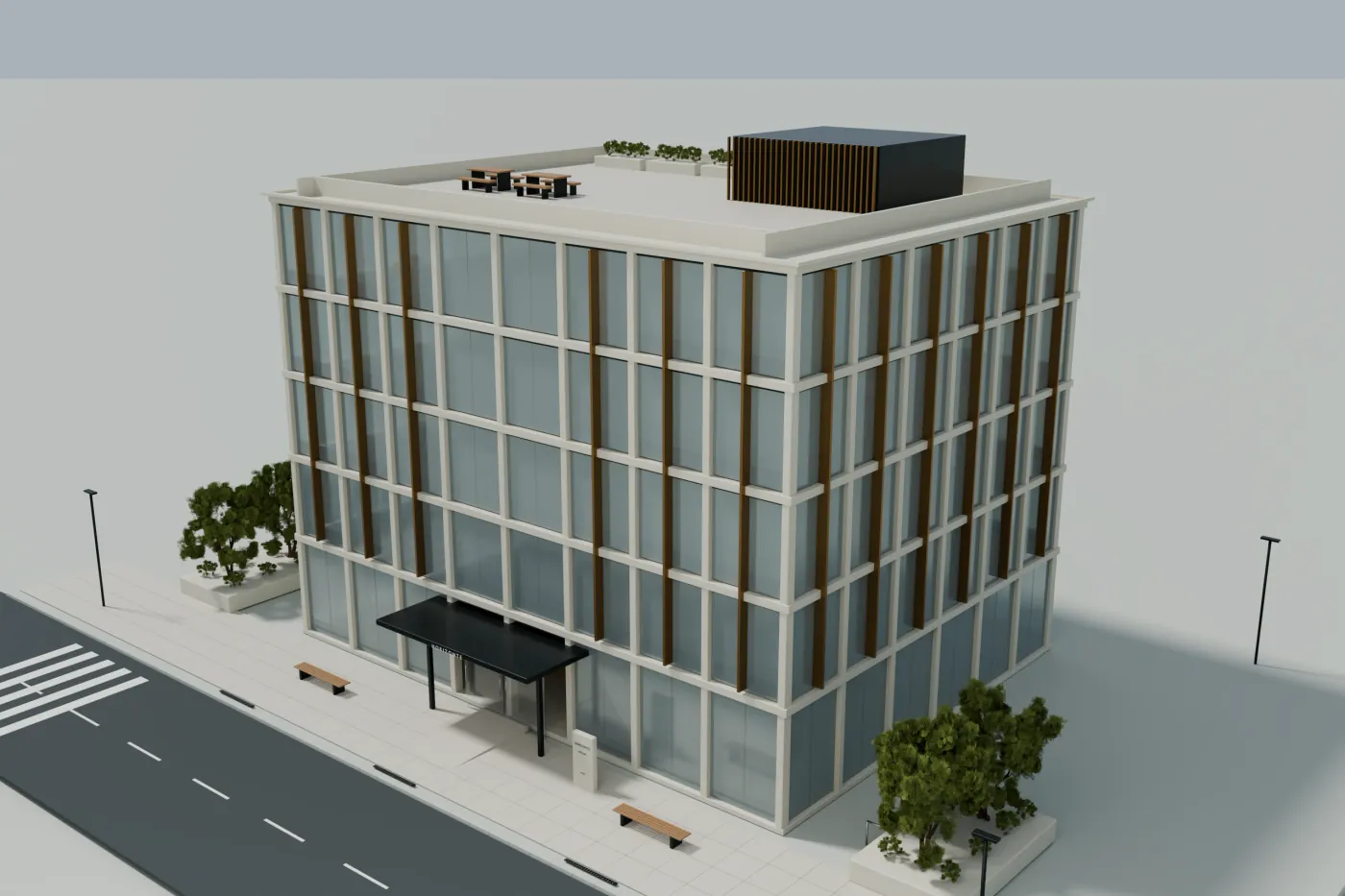
To show the current state of a room, start with recent photos. To walk through captured interiors, consider a 360 tour. If you need to explain the exterior, the layout of an office or a proposed interior from different angles, a 3D viewer lets you work with the modeled areas. The choice depends on the question your prospect needs answered, even when the building is already finished.
All three formats can coexist in a property listing. Buying the most complex solution does not guarantee a more useful presentation: a property with outdated photos needs to fix that first. This guide helps you pin down what you are ordering and what to check before paying for it.
Also for office interiors
A 3D interior design can present possibilities that a photo of the current state does not show yet: a meeting room, a reception or a workstation layout. The tour documents what was captured; the model can represent what exists or a proposal, always with that difference visible.
The difference is what the visitor can do
| Format | What the prospect sees | What to check |
|---|---|---|
| Current photos | Framings chosen by whoever took the photos. Useful to see the state and the details visible in the shot. | Date, framing, resolution, areas covered and permission to use them. |
| Architectural renders | A carefully composed view, even of a state that does not exist yet. | Which views the order includes, and that they are presented as a recreation. |
| 360 photo tour | Connected panoramas from captured positions. The visitor looks around and jumps between points. | Which rooms are captured, how they connect and whether the tour represents the current state. |
| 3D viewer | A model that lets you change the angle and zoom in within the represented areas. | Which parts are modeled, what data backs them and how far the camera can move. |
The product name is not enough to tell them apart. Some products combine photos, reconstructed models and navigation points. Ask for a demo and check what happens when you orbit or move: does the viewpoint of a model change, or do you jump between images taken from fixed positions? Both can work, but they solve different problems.
When a viewer adds value to a finished building
An existing building can be hard to explain with a few photos. Picture a leasing team that needs to show how an office tower, a pavilion and several terraces relate to each other. An overview places them; another view can bring the entrance closer. The model supports the explanation without presenting each image as an isolated piece.
This is an example of use, not a client result. Before ordering, identify two or three questions that are awkward to answer with your current materials. If you can answer them better by changing the viewpoint, you have a concrete reason to order the viewer.
- On a video call, place the prospect in the whole before going into details.
- In the property listing, let visitors check how the modeled exteriors relate.
- After a meeting, share the link so someone else on their team can explore the same building.
When to choose other material first
If the prospect needs to see the state of an office suite, the current finish of a restroom or the furniture that comes with the space, recent photos and an interior tour have a clear advantage: they document what was captured. An exterior model does not answer those questions. It also cannot verify a contractual floor area if there is no reliable documentation behind it.
At Visedra we also create designs and viewers of office interiors, both of the current layout and of a proposed layout and furniture. We start from plans, heights and references for the agreed areas. An exterior demo shows that specific scope; the interior is prepared and quoted explicitly, and what is existing and what is proposed is identified.
Try these five actions in the demo
- Open the exterior example and find the overview, pools, terraces and tower views. Check whether each one helps you explain something different.
- Orbit the building and zoom in. Notice which parts are represented and how their relationship reads.
- Use Pan to adjust the framing. The camera limits are part of the experience; do not expect an unlimited interior walkthrough.
- Change the light and return to a familiar view. In this demo the lighting is conceptual, with no real location.
- Copy the link of a view, open it in another tab and check that it restores the framing. That is a concrete utility for sales follow-up.
What should appear in the quote
Ask the provider to specify the building, the areas, the source documentation, the level of detail, the views and the delivery methods. Add who hosts it, how long it will be available, what the revision rounds include and how later changes are quoted. Ownership of a model or the right to modify it cannot be inferred from being able to see it in a browser.
A useful question before buying
What will my prospect be able to understand or do with this viewer that is hard for me to show today? If the answer is still “it will look more modern”, define a commercial use first and test it with the demo.
How to compare options without inventing a return
Weigh the cost of the work, the time your team will need to use it and the channels where it will actually be shared. After the first project, record whether it is used in meetings and which questions it helps resolve. Demo visits, clicks or compliments are not sales. There is no improvement percentage that can be transferred from another business to yours.
Our recommendation to start: one building, one clear goal and a verifiable scope. If the resource becomes part of the team’s routine, you will have better information to decide whether to order more properties.
Leasing or selling an office or a building? We’ll tell you how we would show it.
Send the listing