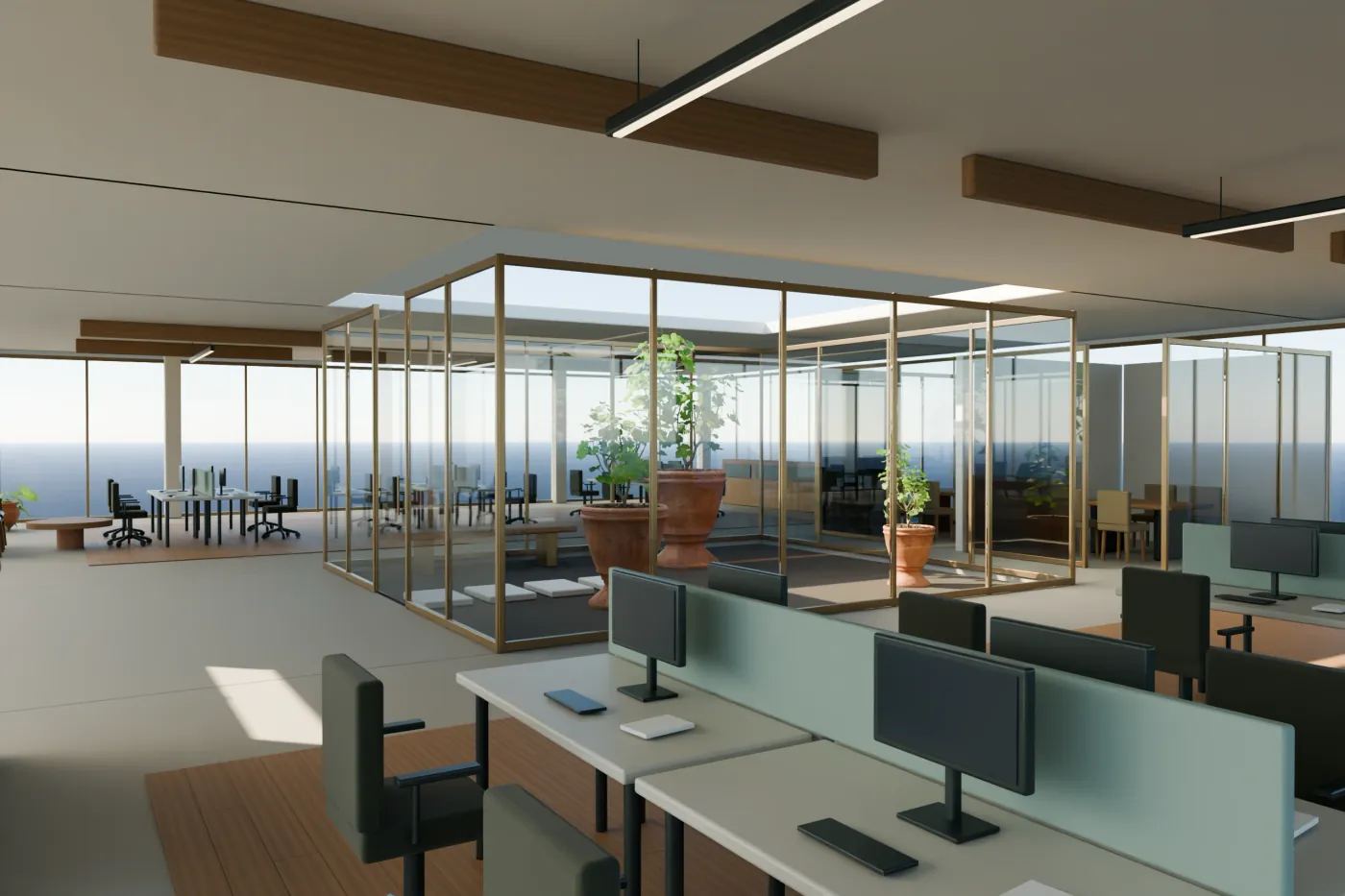
The simplest way to start is to add a button to the property listing that opens the viewer. If you want the 3D to be used inside the listing itself, your website must accept embedded content and the viewer must allow it. Those are two different conditions: pasting an address into a block does not guarantee it will work.
Before asking your agency to change the website, decide which experience you want to offer. A link can serve an email campaign or a first commercial test. An embed is useful when the visitor needs to explore the building while reading the listing’s details and contact.
Three ways to add embeddable 3D
There are three ways to put 3D on a property website: a link to a hosted viewer, an iframe of that viewer inside the listing, or a GLB file loaded in a viewer your own team runs. They differ in what the visitor gets and in what your team has to handle.
| Option | What the visitor gets | What your team must handle | Best for |
|---|---|---|---|
| Link to a hosted viewer | Opens the agreed experience in the browser. | Just add a button or a link. | Email, brochures and a first test. |
| Iframe of a hosted viewer | The 3D inside your listing page. | The embed code, a fallback and the site’s security rules (CSP frame-ancestors). | Listings where people explore while they read. |
| GLB file in your own viewer | The model in a viewer your developers control. | A compatible viewer, controls, lighting, hosting and updates. | Teams that already run a 3D viewer. |
Embedding a GLB file: what it takes
GLB is the binary form of glTF, the 3D format defined by Khronos. According to its website, checked on 09/10/2026, a glTF scene can be stored in a single binary file (.glb), with its meshes, materials and textures. It is a good way to move a model between applications.
A file alone is not a listing. Someone has to pick the viewer, the camera, the gestures and the lighting, and decide what happens on devices that cannot open it. The same file can look different in two viewers, so check the result in the viewer you will publish with.
At Visedra we start with a hosted link. If you would rather host it on your own server, we deliver the complete viewer, with its files and instructions, because a GLB file on its own does not show with controls on a website. Tell us where it will be used and we will tell you which delivery you need.
Also for office interiors
If you lease offices, you can add a viewer of the interior next to the floor plan. The owner, the asset manager or a broker can order it for their own website. We agree on brand, access and usage permissions when several firms present the same property.
Link or viewer inside the page
| Option | Practical advantage | What you need |
|---|---|---|
| Button with a link | Can be placed on a listing without loading the 3D until the visitor opens it. | A stable delivery address and permission to add a link. |
| Embedded viewer | Keeps the model next to the property content. | A block your website supports, embedding permission and tests on that page. |
| Self-hosting | Serves the application from the infrastructure your company chooses. | A complete web package, licenses, configuration and someone responsible for maintenance. |
For a first project we recommend delivering the link and assessing the embed based on real use. That way you can show the building in meetings while your web team reviews where to place it. If you need the embed ready by a specific date, include it in the scope from the start.
What the person maintaining your website should review
Content management systems may offer HTML or embed blocks. Their availability depends on the product, the plan, the user’s permissions and the security configuration. What works on one WordPress site may not work on another, so test it on yours before you commit to a date.
- Check whether your account can insert the required type of content or whether the administrator has to do it.
- Review the website’s policy for loading the viewer’s domain.
- Confirm that the provider allows that delivery to be shown inside the agreed domain.
- Reserve a space where the controls can be used comfortably while keeping the commercial information around it.
- Keep a visible alternative to open the viewer on another page.
In HTML, an iframe shows another page inside the current one. The provider can restrict which sites embed it through headers such as Content-Security-Policy and its frame-ancestors directive. That is why a public demo that opens fine in a tab may not work inside your website. Do not disable the protection of a private proposal to get around it; ask for a delivery prepared for that use.
Where to place the viewer in the listing
Place it where it helps understand the information the visitor is reading. An overview can accompany the building description; a view of the terraces, the outdoor spaces section. Keep current photos to document the property’s state and a clear contact for anyone who wants to ask or book a tour.
Do not let the 3D take over the listing without explaining what it represents. Identify the modeled areas and the relevant limitations. If the representation is indicative, the visitor should know it before using it to make a decision.
Loading and mobile are part of the delivery
A 3D model needs to download resources and use the device’s graphics capacity. Adding it to a page already loaded with photos, maps and videos can increase the wait. A preview image with an action to open the 3D lets the visitor choose when to load it. This decision must be tested on the final listing, not only on the provider’s website.
- Open the listing with a cold cache and check that the text, the photos and the contact appear before using the 3D.
- Activate the viewer and verify that it shows an understandable wait until it is ready.
- Test orbit, zoom and view changes on a computer and on the agreed phones.
- Check that you can scroll the page and leave the viewer without getting trapped in its controls.
- Open the alternative link. If the embed fails, the prospect must be able to continue. Report to the provider the devices that fail the test.
A narrow window is not a real phone
Shrinking the browser width helps catch layout problems. It does not prove smoothness on a physical phone or the download time on its network. Agree on acceptance tests with specific devices and conditions.
What to put in writing before the work
Define who adds the block, on which domain it is installed, who pays for hosting and what happens when your website changes. Distinguish resizing the embed from remodeling the building. Also set who to contact if a change in the content management system stops it from showing.
A viewer can improve the explanation of the property, but it does not replace the content that Google and people need to read. Keep your own description, clear headings, relevant photos and links to related listings. Do not assume that inserting an iframe will make your website rank for the text of the embedded page.
If you lease offices, the same block can show an interactive 3D office floor plan of your floor, empty or furnished.
For the embed code and what we check before adding it, see website integration.
Frequently asked questions
What is embeddable 3D?
3D content that opens inside a web page, usually through an iframe or a viewer that loads a 3D model, so visitors can rotate and explore it without leaving the listing.
Can I embed a GLB file directly in my website?
Yes, if your site uses a 3D viewer that can load it. The file alone does not include the viewer, the controls or the hosting.
Do I need a developer to embed a 3D viewer?
For a link, no. For an iframe, someone who can edit the page’s HTML and check that the site’s security rules allow it.
Leasing or selling an office or a building? We’ll tell you how we would show it.
Send the listing